

What is an M3U playlist? It is a text file that tells a compatible media player where to find audio or video. The entries can point to files on your device or to network resources. The playlist normally contains references and optional descriptions, not the actual movies, music, or television broadcasts.
This distinction explains several common surprises: a tiny file can list many videos, a playlist can load while its channels fail, and installing a player does not supply viewing rights. This guide explains seven practical facts, with a local-file example you can adapt using videos you created yourself.
Table of Contents
Quick answer: Think of an M3U playlist as a set of directions. The player reads the directions, then tries to open the listed media. Successful playback still depends on the source, access permission, supported formats, and a working connection when the media is online.
1. What Is an M3U Playlist Used For?
An M3U playlist groups media references into a list that a player can open. For example, you might organize your own holiday videos in a viewing order, collect local audio recordings, or load a playlist supplied by a publisher that supports external playback.
A basic list can contain file paths or network addresses. Extended M3U adds descriptive information, such as a display title. IPTV applications may recognize additional fields for channel groups or logos, but support varies between players.
Keep three separate questions in mind: can the app read the list, can it access each item, and can it decode the media? A positive answer to the first question does not automatically answer the other two.
A playlist does not contain a subscription
A channel name inside a file is only a label. It does not establish who owns the broadcast, whether your account can watch it, or whether it remains available. Likewise, purchasing software does not automatically purchase content.
If those roles are unclear, our IPTV player vs provider comparison explains the difference between the viewing application and the service supplying content.
2. Read an M3U File with a Simple Example
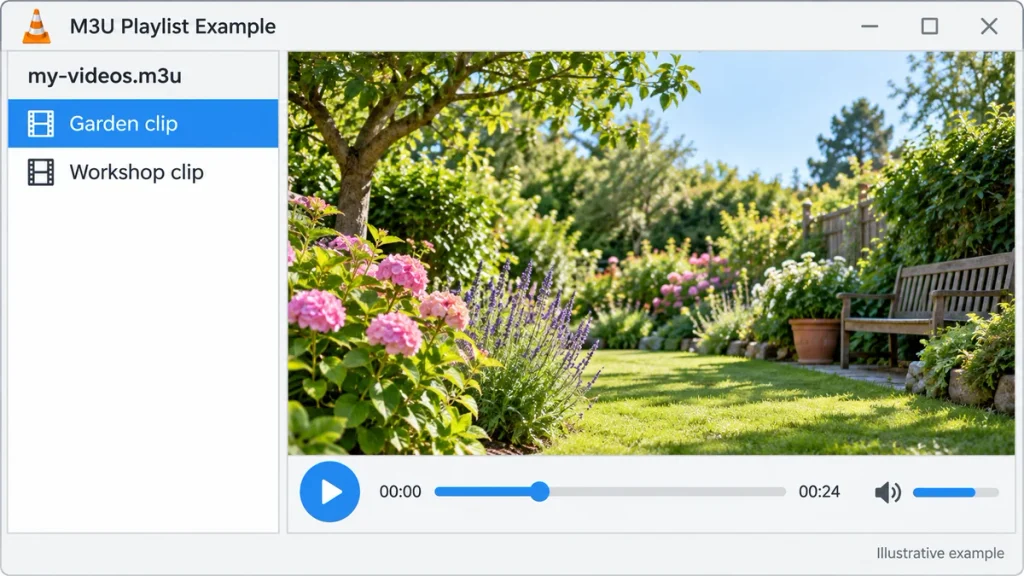
The following example uses two fictional local filenames. It contains no online channels, credentials, or working stream links. Replace the filenames with two videos you created and place the playlist beside those videos.
#EXTM3U
#EXTINF:12,Garden clip
garden.mp4
#EXTINF:18,Workshop clip
workshop.mp4#EXTM3Uidentifies an extended M3U playlist.#EXTINF:12,Garden clipdescribes the next item: a duration of 12 seconds and the display title “Garden clip.”garden.mp4is the media location, here a filename relative to the playlist folder.- The next pair of lines describes a second item using the same pattern.
The durations are illustrative. If you adapt the example, use your clips’ actual durations. The title is a label; changing it does not rename the video or change its contents.
Try it with your own videos
- Create a folder containing two short videos you own.
- Open a plain-text editor and copy the example.
- Replace the filenames, titles, and durations with your own.
- Save the file as
my-videos.m3u, checking that the editor has not appended.txt. - Open it in a media player that supports M3U and your video formats.
- Select each entry and confirm that the intended video opens.
This is an illustrative exercise, not a claim of hands-on testing. Keep the clips beside the playlist for this example. Moving only the list to another device will not transfer the videos.
Kodi’s official basic-playlist documentation explains that playlists can use media paths and that moving them between devices can break those paths.
3. A Playlist File and a Playlist URL Are Different Inputs
A playlist file is a saved document. A playlist URL is an address from which an application may retrieve a document. They can describe the same collection, but their update behavior depends on the application and source.
| Input | What it provides | First check |
|---|---|---|
| Local M3U file | A saved list of media references | Are its paths still correct? |
| Remote playlist URL | An address used to retrieve a list | Is the address current and supported? |
| Direct media URL | An address for a media resource | Does the player support that resource? |
| Service webpage | A page intended for a browser | Does the service offer external playback? |
A downloaded copy will not automatically receive edits made to the remote original. Conversely, importing a URL does not prove that your app refreshes it regularly. Check the app’s documented refresh behavior before assuming that a missing item will appear by itself.
A service’s homepage or login page is not necessarily a playlist address. Use the input supplied for the viewing method you are trying. For the Windows network-input procedure, see our VLC network stream setup guide.
Preserve the complete address
Long URLs may include access information after a question mark. Removing that section can make a valid address unusable. Copy the original carefully, but do not include quotation marks, explanatory labels, or accidental spaces.
If the address contains a token or account details, keep it private. When requesting help, describe the error and redact sensitive parts rather than posting the complete URL.
4. M3U vs M3U8: Check the Contents, Too
The .m3u8 extension conventionally signals an M3U playlist encoded as UTF-8, which supports text in many languages. The .m3u extension alone does not reliably tell you which encoding a particular file uses. Follow the requirements of the application reading it.
M3U8 also appears in HTTP Live Streaming, or HLS. An HLS playlist can describe media segments or point to other playlists offering stream variants. That is different from a channel catalogue listing unrelated stations. The HLS specification in RFC 8216 describes its playlist structure and UTF-8 requirements.
The practical lesson is to examine the purpose, not just the extension. One file may list viewing choices; another may describe how a single presentation is delivered. Renaming either file does not convert its contents, improve video quality, or add support to a player.
5. An M3U Playlist Is Not a Program Guide
A playlist helps identify media entries and their locations. An electronic program guide supplies scheduling information, such as what is on now and what starts next. These are separate jobs, even when an application displays both together.
Some IPTV playlists contain identifiers or references that help a player associate channels with guide data. For example, a supported channel identifier can help match an entry to the correct schedule. That does not mean the playlist contains a complete, current guide.
For the scheduling side, read our explanation of what an EPG is and how channel listings work.
Test playback and listings separately
If a video plays but the schedule is empty, first investigate the guide source and channel matching. If the schedule appears but the video fails, investigate playback access and compatibility. An attractive guide is not evidence that a stream is reachable.
Likewise, a program title in the schedule does not guarantee recording or catch-up access. Look for explicit support from the service and application before relying on those features.
6. Use Playlists from Sources You Are Authorized to Access
M3U is a file format, not a certificate of permission. For this guide, suitable examples include your own recordings and publisher-provided resources whose instructions permit the intended playback method.
Do not assume a widely shared channel list has distribution permission. The number of entries, recognizable logos, and the fact that a link currently plays cannot establish that permission.
Before importing a third-party playlist, check:
- Source: Can you identify the publisher or service responsible for it?
- Viewing instructions: Does that source explicitly support your player or external playback?
- Access conditions: Are country restrictions, account requirements, and permitted uses explained?
- Support: Is there an official route for obtaining updated addresses or reporting problems?
If a service directs viewers to its official app, follow that route. A paid account does not automatically mean the service offers an M3U export. Ask its support team rather than trying to extract protected playback addresses.
Keep private playlists private
Before sharing a sample for troubleshooting, replace personal paths, account identifiers, and secret tokens. Avoid uploading private playlists to unfamiliar online editors. A tool that receives the file may also receive the access information inside it.
Use an updated player obtained from its official source. Being a text file does not make every listed destination trustworthy, and playlist access should not require installing an unexplained executable.
7. Diagnose the Failure Before Replacing the Playlist
Start by separating an import problem from a playback problem. Write down whether the application rejects the file, shows an empty list, displays entries that fail, or plays media with interruptions.
| Symptom | First check |
|---|---|
| The file is not recognized | Confirm the actual extension and supported playlist format. |
| A local entry fails | Check that the referenced file exists at the expected path. |
| All remote entries fail | Check access conditions, source availability, and supported playback method. |
| Only one entry fails | Compare that entry with another from the same authorized source. |
| Titles contain strange characters | Check text encoding against the player’s requirements. |
| Video works but schedules are missing | Check guide configuration separately from media playback. |
Use a small, controlled comparison. If your own local videos work through a playlist, that demonstrates basic playlist handling for those files. It does not prove that a remote stream uses compatible codecs or the same access method.
For an expired or rejected online address, obtain a replacement through the publisher’s supported process. Reinstalling a player cannot renew a server-issued token.
If playback starts normally but repeatedly pauses, move to our IPTV buffering troubleshooting guide. That situation needs a connection and playback investigation, rather than repeated edits to channel labels.
Before contacting support, record the app version, device, input type, error text, and whether the failure affects one entry or the entire list. Share those observations without exposing credentials.
Frequently Asked Questions
Is an M3U playlist a video file?
No. It normally stores references to media rather than the media itself. Saving the playlist does not download the listed videos or make online streams available offline.
Can I create an M3U playlist myself?
Yes. You can create a plain-text list for media you own or are authorized to access. Start with a small local collection and verify the paths in a compatible player.
Does every M3U playlist include TV channels?
No. It may reference music, personal videos, radio, or other supported media. The contents come from the playlist author; the extension does not promise a particular channel collection.
Does changing M3U to M3U8 improve picture quality?
No. Renaming a file does not change the underlying video or its encoding. Quality depends on the source and playback setup, while playlist interpretation depends on the file’s actual contents.
Why does my playlist open without playing anything?
The player may understand the list but be unable to reach or decode its entries. Check local paths, current access permission, source availability, and whether the application supports the media.
Can I share my playlist with another person?
Check the content permissions and service terms first. A playlist may expose private paths or access tokens, and permission to watch does not automatically include permission to redistribute access.
Conclusion: Start with a Playlist You Understand
What is an M3U playlist? It is a useful way to organize media references, provided you understand where the entries lead and what your player supports. It does not supply a subscription, prove distribution rights, or guarantee successful playback.
Try the local-file example with two videos you created. Once you understand the relationship between the list and its media, use an authorized publisher’s documented method for online playback. Keep private addresses secure and investigate one symptom at a time.